Specify accessible components
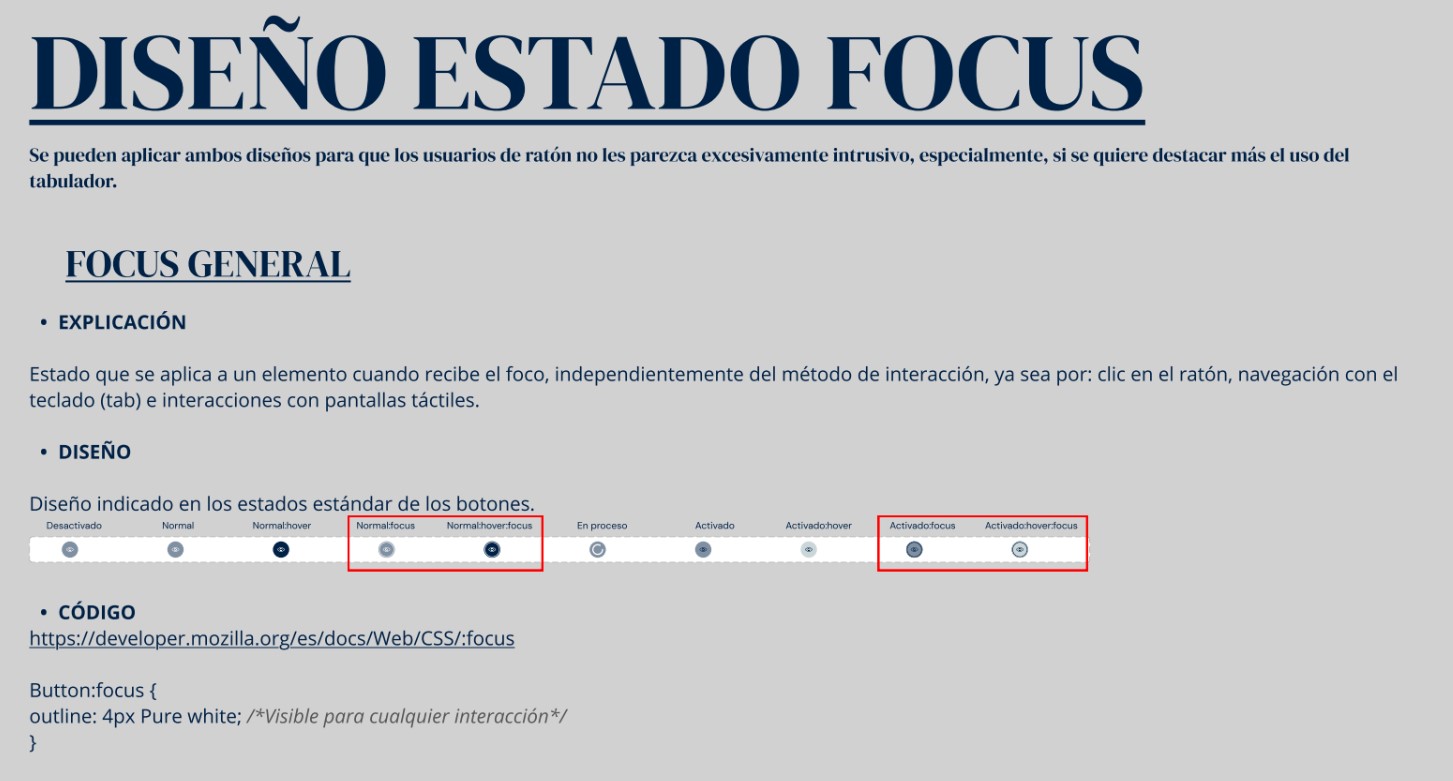
I documented focus states, contrast, labels and interaction guidance in the design system, giving development a reference for implementation.

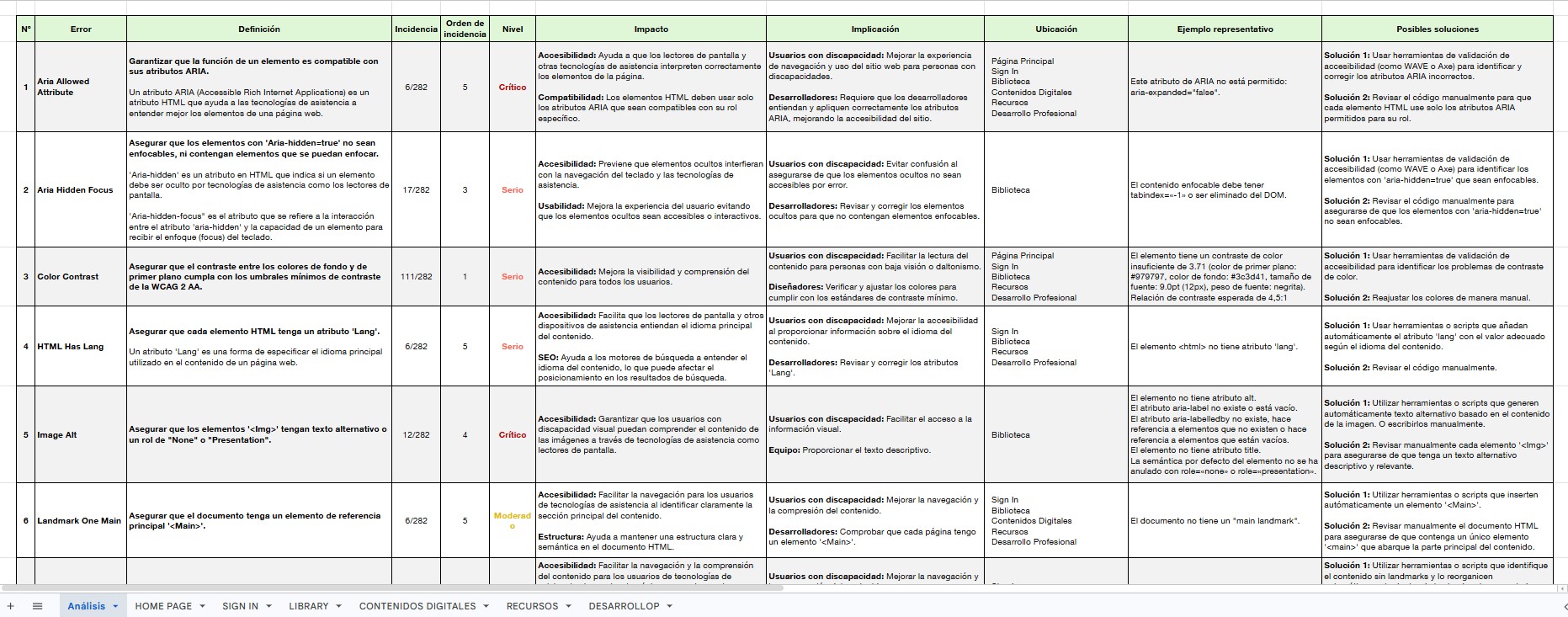
I connected accessibility audits, screen reader testing and practical guidance across Oxford's platforms, interfaces and learning content.
At a glance
Accessibility barriers appeared across interfaces, learning platforms and PDFs. Understanding them meant looking at how content was structured, built and read with assistive technology.
As a UX/UI Designer, I audited products, tested with screen readers and translated findings into component guidance and documentation for product, development, editorial, legal and multimedia teams.
The decisions
I documented focus states, contrast, labels and interaction guidance in the design system, giving development a reference for implementation.
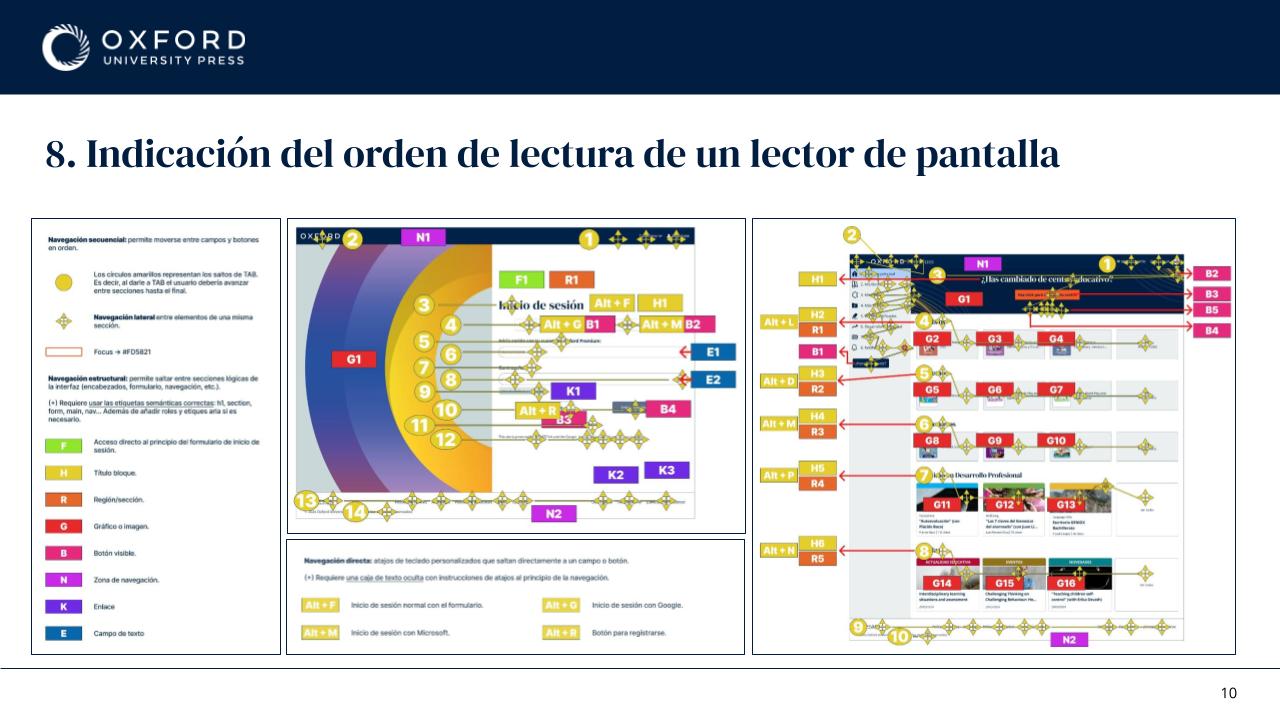
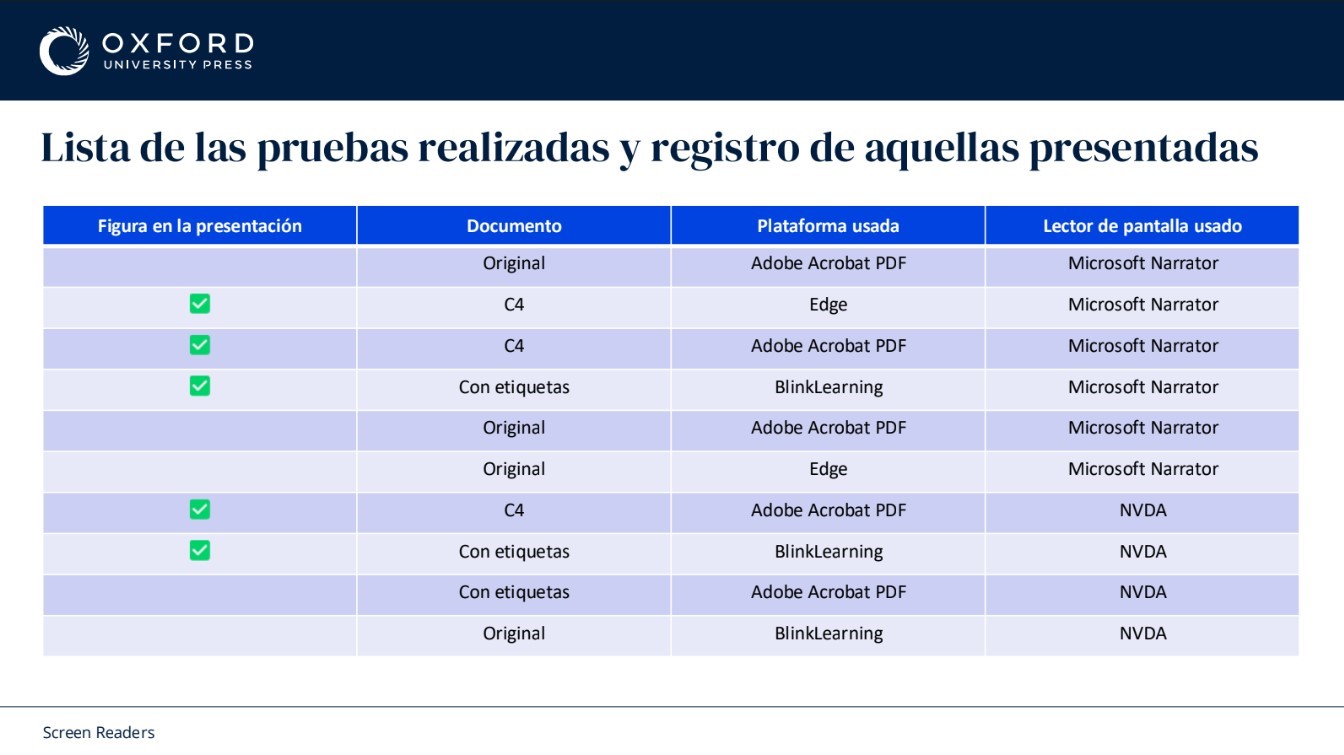
I compared documents and platforms using NVDA, JAWS and Microsoft Narrator, recording how behaviour changed across formats and tools.
I adapted recommendations to each team's work, from document structure and image descriptions to component behaviour and development handoff.
Evidence
The same content could behave differently across a PDF reader, a browser and a learning platform. I documented those differences alongside component requirements and proposed fixes.
Outcome
The video uses Oxford Premium's demo account. The process examples have been adapted for sharing. Further documentation and context are available in the Deep Dive.